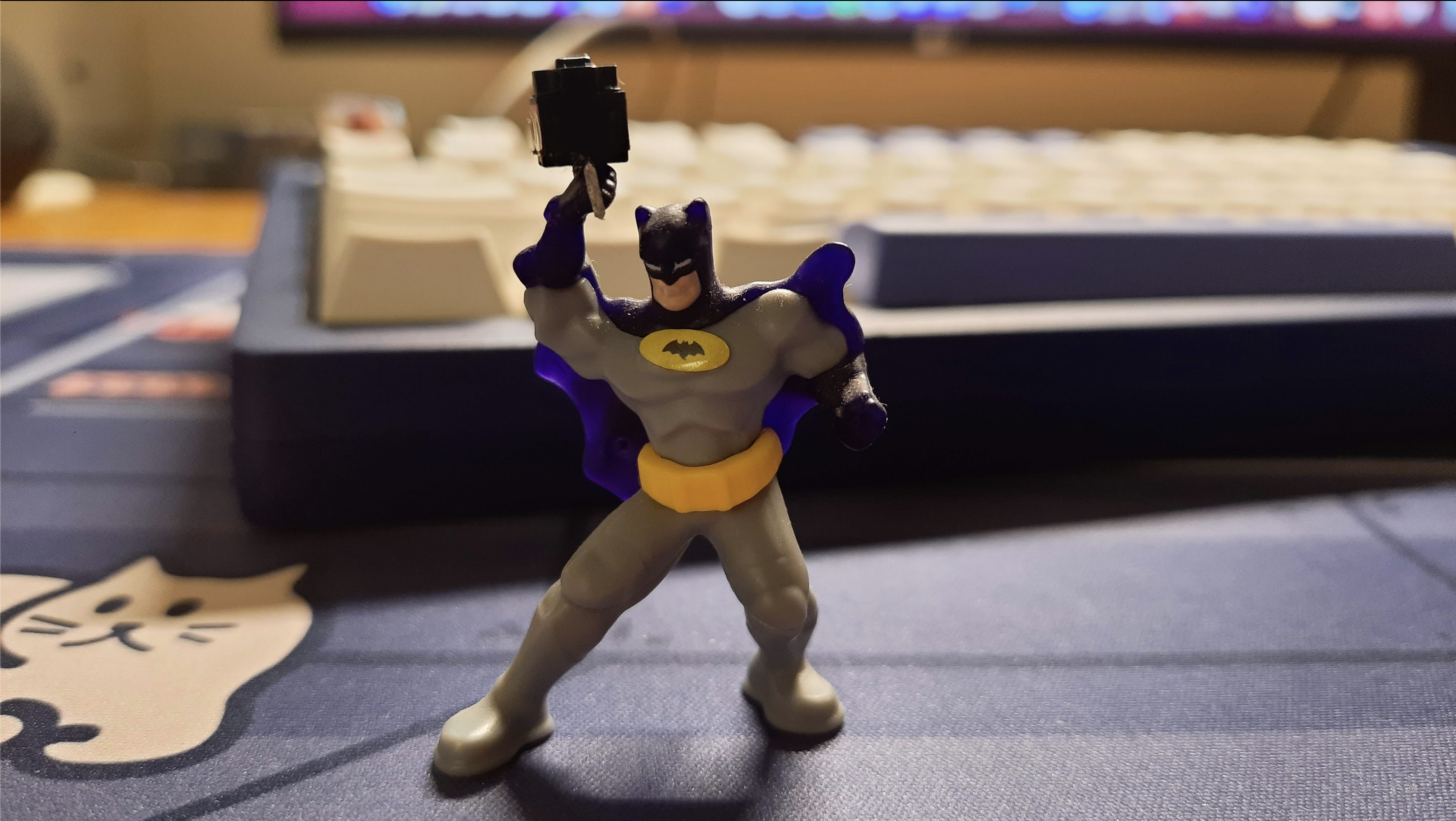
Fixing the switch on Logitech MX Master 3S
Note: I will be going on a rant about this mouse and Logitech’s repairability programs, so if you want to skip it and go straight to the part where I discuss the fix, click here.
Like any respectable craftsman, I take pride in owning and using the best tools for my trade. So, in addition to using some fancy mechanical keyboards, I also use a fancy mouse, a Logitech MX Master 3S. I originally bought it in September 2022, more than 2 years ago.
It’s a good mouse, and feels premium (and also carries a premium price tag). It’s served me pretty well until earlier this year, when every so often the left-click wouldn’t register. It also became annoying trying to perform drag operations. My first thought was to try getting this fixed at a service center. Surely Logitech must have technical support for one of their most expensive range of mice. Wrong! I called up their support helpline after suggesting fixes I had already tried (blowing air to clear any dirt, etc.), they asked for the date of purchase and told me they cannot field my request as the device is out of warranty. I offered to pay for the fix, but they told me they do not do repairs, only replacements. This made me furious. The lack of support for hardware post-warranty is really sad.

My disappointment was immeasurable, and my day was ruined. There’s a certain irony in telling me they don’t have repair centers and bragging about their sustainability efforts in the same breath.
I decided I’ll fix it myself. How difficult could it be? Turns out, not at all. I had been meaning to learn to solder electronics for a while now, and this was the perfect opportunity. But I still had a few problems.
- What kind of soldering iron should I buy?
- What type of solder wire would be good?
- What is flux? What’s a good quality flux?
I knew if I went down this rabbit hole, it would just delay my plans to fix it, and it was possible my enthusiasm for this project would be dead by then. So I turned to the experts. I’ve been part of the IMKC Discord for a while now, and the community is teeming with builders! I shot a post asking whether this was fixable, and a few members responded with an optimistic yes. They also suggested a few members of the community could do it for me for a price, but I was adamant about doing it myself, and they were very encouraging of it.
Fixing it
I decided to open the mouse first to peek at the internals and inspect what’s wrong. I identified the mouse switch and then looked up a few videos where others attempted the same job, and I learnt there’s a difference in the switch type between the MX Master 3 and 3S models. Someone from the IMKC discord also helped me out by finding a Reddit thread discussing the exact part number for the switch. I spent some time asking for the soldering iron, flux, whether to use a desoldering wick or a pump, etc., and finally placed the order.
Opening up the mouse
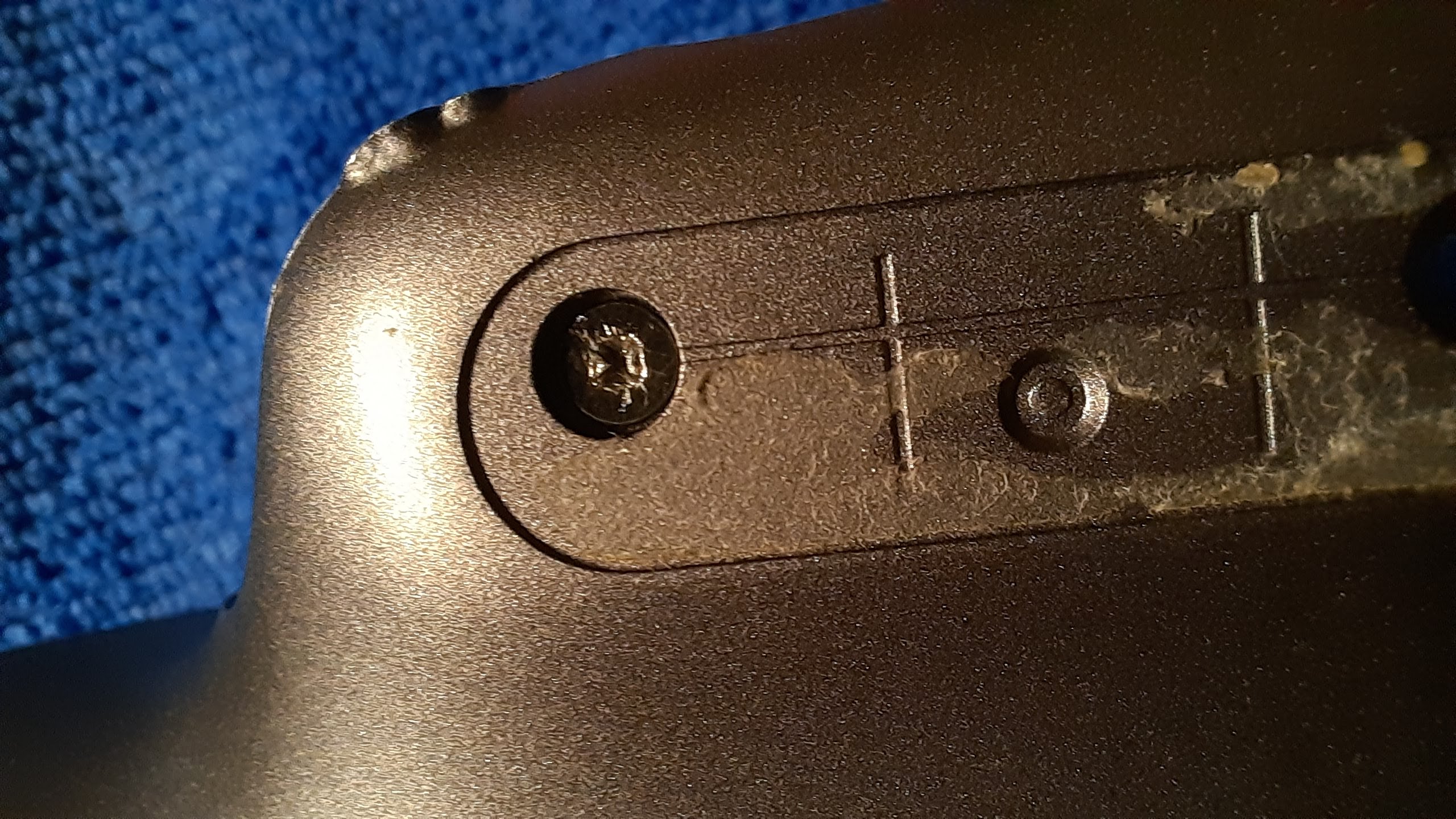
Whoops! Just as I was opening it, this one screw got stripped. Disappointing, but the road to DIY is paved with failures. It wasn’t too bad, in the end, I did end up having to take destructive steps, which meant I couldn’t use this screw anymore. Doesn’t affect functionality and only causes a barely noticeable aesthetic degradation. In summary, it doesn’t look ugly and it works.
Difference in switch types
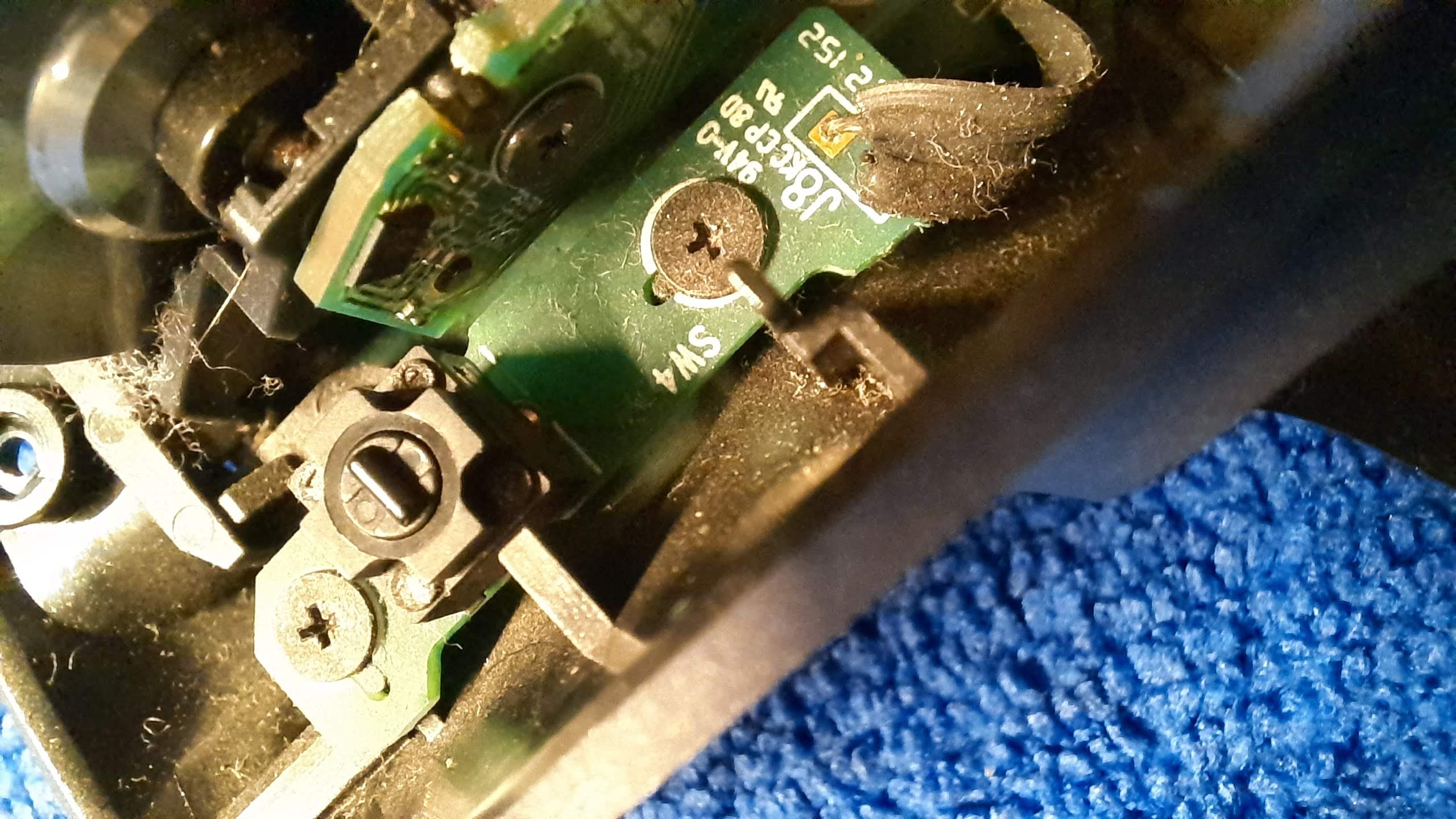
The MX Master 3S uses a different switch from the one used in the normal 3. The key difference is the number of pins. My 3S has a 2-pin switch. When I looked up online I found that a few people have used 3-pin switch with a 3S where they cut a third pin which is no-contact. But, I wanted to avoid this and find a replacement switch that was closer to the original.
The Reddit discussion thread I was sent mentioned the switch model as EVQP0E07K. Just a note though, this specific model is more clicky. So if you’re using a 3S and you put this in, you will notice a more clicky sound than the original. It’s not annoying for me though, so I don’t mind it, but the S in 3S stands for silence, I think. Some folks may find this part unsuitable for this reason. I haven’t been able to find a silent switch model number yet, if you do know, please add it in the comments for everyone else.
Parts
Note: Links here are specific to India, but you can use the part numbers to find them on other sites that ship to your region.
The EVQP0E07K Switch can be found on components4u.in which is run by Fides Electronics, an authorized reseller for Element14.
I also got the following hardware from robu.in
- Soldron High-Quality 25 Watts/230Volts Soldering Iron
- Noel Solder Wire 60/40 1.00mm 50gm
- Noel FLUX soldering paste-10g-2Pcs
- Desoldering Wick 2.5mm
In addition to the above essentials, I got some nice-to-have tools to organize my workspace and for future projects:
- Soldering Iron Holder with Brass Wool, Cleaning Sponge and Solder Tip Slots
- A pair of helping hands
I got the following bits from Amazon, however you can easily find these from your local hardware shop.
- Needle type 25W POINTED Bit Nickel Coated pointed 3mm SOLDERING IRON BIT Compatible with Soldron – This is more well suited to microelectronics like the mouse PCB than the flat tip the Soldron ships with.
- A desoldering pump – I found it easier to use than a desoldering wick.
Good as new!
I had a nearly decade-old Arduino Micro lying around I bought in high school. It came with the header pins separated. To prepare for the final soldering, I decided to use it to practice. Took a little help from my dad as well and I felt ready.
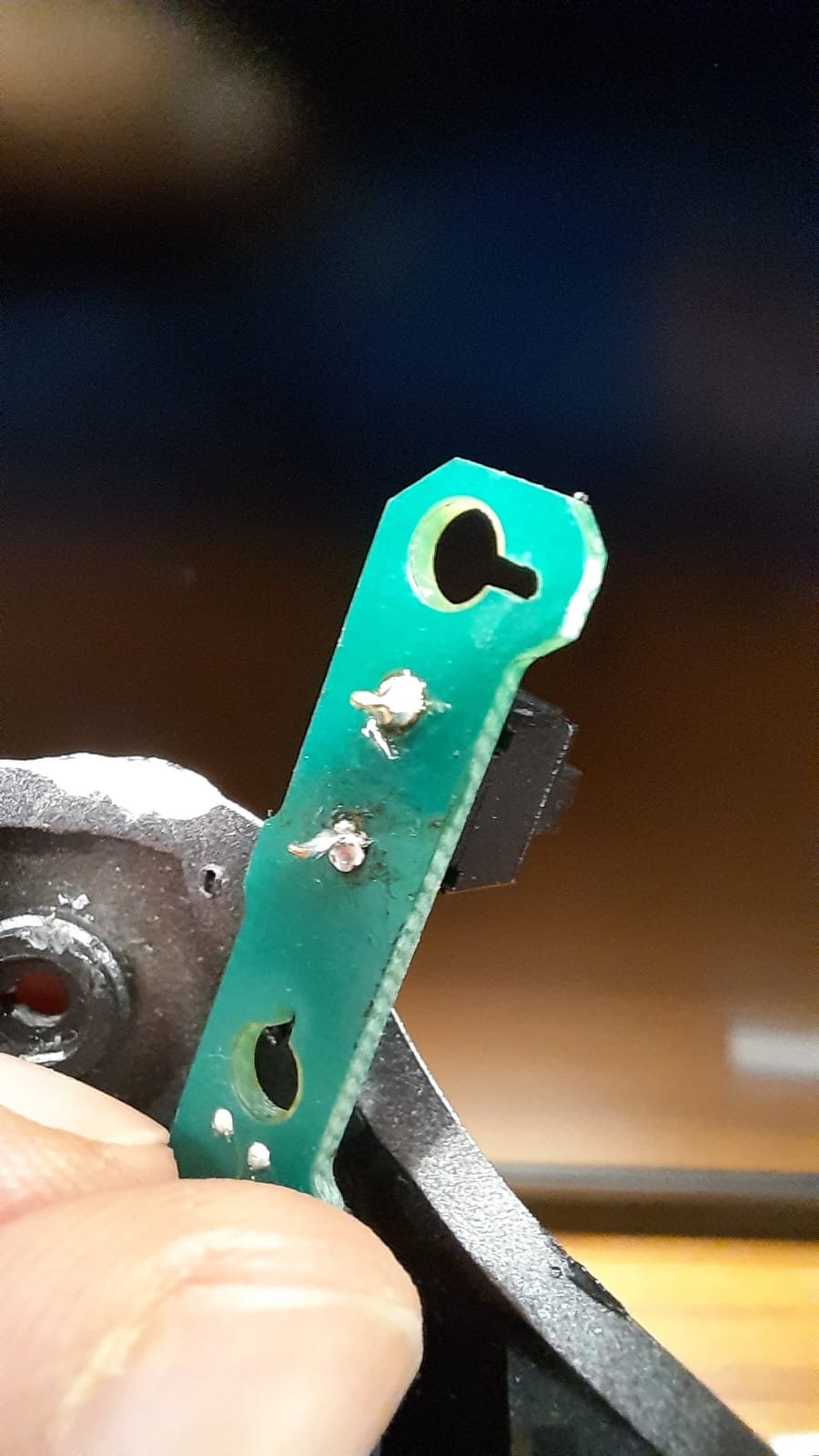
And voila! Not too shabby for a first job. Took me a while to gather the parts, the tools, teaching myself to solder but I got there. I genuinely believe soldering is an essential skill for everyone, especially today. This skill puts the power back in your hands.
Now, the old broken switch lies at my desk as a reminder of my agency as a consumer.